
Betas open now
4 titles are open for testing. iPhone runs through TestFlight and takes about a minute. On Android, open betas are one tap; a closed beta needs two steps in a fixed order, and the first one is where everybody gets stuck — so it is explained once, below.
iPhone & iPad — 3 open
Install TestFlight (opens in a new tab) first, then any link below opens straight into its invitation. No group, no waiting, no sign-up.
- TestFlight — Pocketstone (opens in a new tab)
- TestFlight — Vaara (opens in a new tab)
- TestFlight — Sunsign Daily (opens in a new tab)
Android open testing — 3 open
No group, no waiting. Open the link signed in with the Google account on your phone, tap Become a tester, then install from the Play page it hands you.
- Google Play — Pocketstone (opens in a new tab)
- Google Play — Vaara (opens in a new tab)
- Google Play — Sunsign Daily (opens in a new tab)
Android closed testing — 1 open
Google checks Google-Group membership before it will serve a closed-testing opt-in. Tap the Play link first and it tells you you don't have permission, which looks exactly like a broken app and is not one. Join the group first, every time.
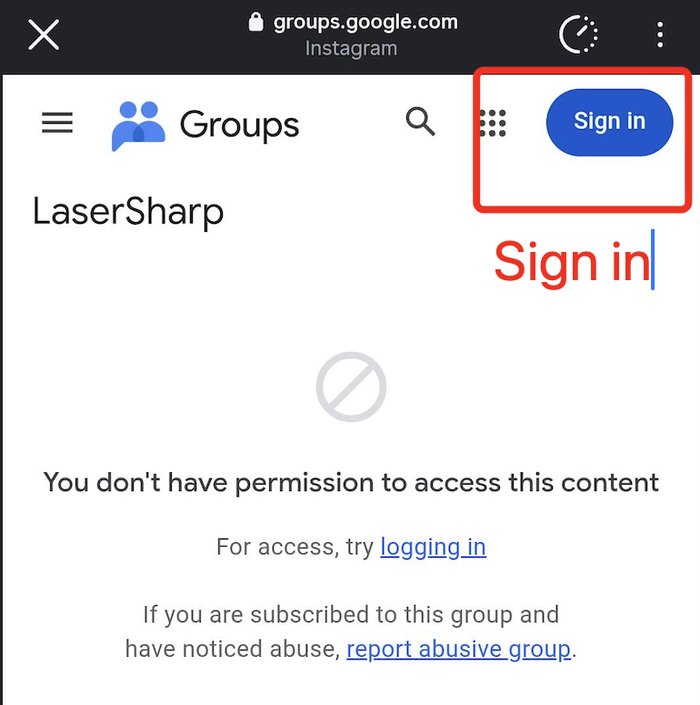
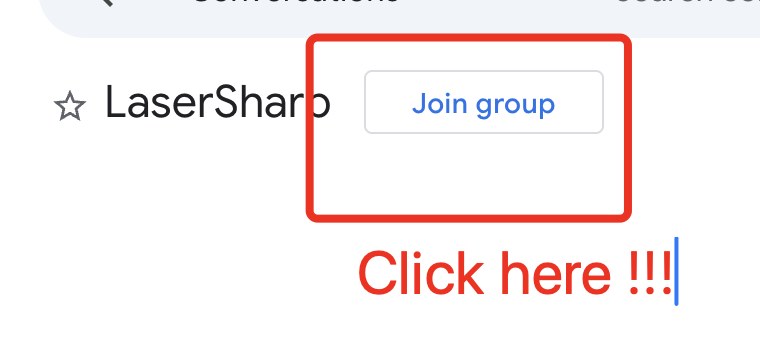
There is one group across these 1 titles, so joining once does not cover all of them — check the group link on each row you want. Use the same Google account that is signed in on your phone.
Already out
SkyCast is public on both stores and needs none of this — it is a normal install from the SkyCast page. Everything else we make is on the games and apps pages.
Something broken?
That is what a beta is for. Tell us — it is the whole point of the programme, and a bug report from a tester is worth more than a five-star review.